Industrial Automation

HMI Design Consultation

HMIs that match how people actually run the machine — clear screens, sensible navigation, and PLC-aware integration with PanelView, Ignition, and peers.

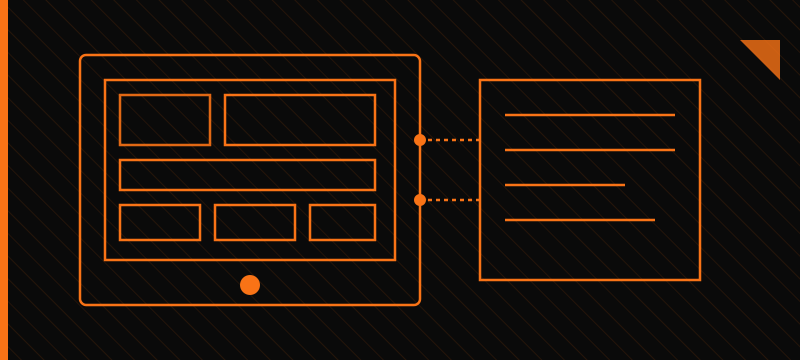
Operator HMI screen with PLC tag integration motifs

Why it matters

HMIs sit between operators, technicians, and the control system. When screen architecture, alarming, and panel choice are an afterthought, people hunt for status, miss critical faults, and work around the interface instead of with it.

We consult on HMI and SCADA design so navigation, tagging, and workflows fit the process — including how EtherNet/IP or similar networks expose PLC tags to PanelView, Ignition, and other HMIs — and so the interface stays maintainable as the machine and the plant evolve.

Operator HMI screen with PLC tag integration motifs
HMI / SCADA screens mapped to PLC tags and workflows

Our approach

Consultation grounded in operator UX, panel selection, and real PLC / control-system integration — not screen mockups in isolation.

1

Understand the operators

Clarify who uses the interface (operators, maintenance, supervisors), which decisions they make, and what “normal” vs. fault looks like on the floor.

2

Map screens to the process

Define overview, equipment, recipe/mode, and diagnostic views so navigation follows the machine — not a flat menu of every tag.

3

Align HMI with the PLC

Discuss tag structures, modes, interlocks, and handshakes so the HMI reflects control reality — drives, zones, scanners, safety status — and stays consistent with ladder or structured logic.

4

Alarming & recovery

Prioritize alarms, reduce noise, and make recovery paths visible so stoppages are diagnosable without tribal knowledge.

5

Remote & multi-user workflows

When needed, plan for remote clients, role-based views, and how operators collaborate across local panels and plant-level SCADA.

Offerings

Representative ways we can help. Exact scope is defined with you for each engagement. Soft claims only — we consult around common HMI/SCADA ecosystems; we do not claim vendor certifications unless separately confirmed.

Operator UX & screen architecture

Hierarchy, naming, navigation patterns, and layout guidance that keep critical status visible and reduce hunting through nested screens.

Panel & platform selection

Practical guidance choosing local HMI hardware (including PanelView-class panels) vs. plant SCADA clients such as Ignition — sizing, environment, networking, and lifecycle considerations.

PLC & control-system integration

How screens should bind to PLC tags, modes, and sequences so the HMI stays synchronized with the control program and commissioning stays orderly.

Alarming & operator workflows

Alarm strategy, acknowledgment patterns, and remote/operator workflows that support shift handoff and faster recovery.

Platforms & ecosystems we consult around

Consultation experience spans common HMI and SCADA hardware and software. Engagements often touch:

  • Maple Systems — operator panels and related HMI tooling for machine-level interfaces
  • Ignition SCADA (Inductive Automation Ignition) — plant- and system-level visualization, clients, and SCADA workflows
  • PanelView (Allen-Bradley / Rockwell) — machine HMIs tied into Rockwell control architectures
  • Related peers that fit the same conversation when the project calls for them — for example Siemens WinCC / Comfort Panels, Schneider Magelis / EcoStruxure, and other PLC-adjacent HMI/SCADA stacks used alongside common industrial controllers

We help you choose and shape interfaces around the platform you already run — or evaluate options when you are still deciding — without forcing a single-vendor path.

Standards we design to

A good HMI reduces mistakes under pressure. We draw on operator-centered HMI and alarm practices so screens stay readable, alarms stay meaningful, and navigation stays consistent across your line.

ISA-101 (HMI design)

ISA-101 promotes situational awareness — clear hierarchy, restrained color, and displays that help operators see process state instead of fighting flashy graphics.

How we follow it: We structure screens by task, keep color meaningful (not decorative), and prioritize the information operators need during normal run and upset conditions.

ANSI/ISA-18.2 (alarm management)

Alarm management guidance that treats alarms as a designed system: rationalized priorities, clear response expectations, and fewer nuisance floods.

How we follow it: We help define alarm intent, priority bands, and wording so operators get actionable signals instead of a wall of noise — and document assumptions for your team to own long-term.

IEC 62682 concepts

International alarm-system concepts that reinforce management of change, performance monitoring, and lifecycle ownership of alarms.

How we follow it: At a practical level we encourage measurable alarm performance, documented changes, and HMI presentation that matches your site’s alarm philosophy.

Operator accessibility & contrast

Plant floors are bright, dusty, and rushed — contrast, type size, and touch targets matter as much as the underlying PLC tags.

How we follow it: We specify contrast-friendly palettes, readable fonts, and navigation that works with gloves and glare, and we review screens with real operator workflows in mind.

Consistent navigation

Operators move faster when every machine and area follows the same wayfinding — overview → area → detail — with predictable controls.

How we follow it: We establish shared navigation patterns, faceplate conventions, and alarm acknowledgment behavior so training transfers across equipment.

Need clearer HMI or SCADA design for your line or machine?

Tell us about the operators, the PLC/control stack, and the pain points on today’s screens — we can outline a practical consultation path.

Get a quote